

Bitdefender Mobile Security for iOS Review – Best-in-Class Web Protection and Account Privacy
Bitdefender Mobile Security for iOS is a minimalist, yet incredibly powerful, security suite engineered for performance and privacy within Apple’s ecosystem. Recognizing that iOS is inherently secure against traditional viruses, Bitdefender focuses its expertise on mitigating the highest-risk vectors: phishing, insecure connections, and data breaches. The suite integrates a zero-compromise Web Protection module and an innovative Account Privacy feature that scans for compromised credentials. With an extremely low system footprint and a reputation for superior efficacy verified by independent labs, Bitdefender offers a sleek, fast, and feature-rich defense for any iPhone or iPad user in 2026.
VERIFIED DATA: Bitdefender’s detection engines are consistently top-ranked globally. While its file-scanning features are geared towards cross-platform protection (e.g., scanning cloud drives for Windows malware), its Web Protection component is critically important. In recent simulated web threat assessments, Bitdefender’s Safepay engine (core technology for Web Protection) achieved a near-perfect block rate, successfully neutralizing 99.9% of known phishing, malware, and fraudulent URLs, verifying its reliability as a first-line defense on mobile.
Core Security and Privacy Matrix: Detailed iOS Threat Analysis
Bitdefender Mobile Security is a specialized tool that recognizes the unique security model of iOS. Its efficacy is based not on intrusive monitoring, but on proactive, network-level interception of malicious communications and continuous monitoring of personal data exposure. The analysis below details its core modules.
| Security Metric | Bitdefender iOS Rating | Expanded Analysis and Technical Detail |
|---|---|---|
| Web Protection & Anti-Phishing | Intercepts malicious web content at the network level. It uses cloud-based intelligence and heuristic analysis to block access to known phishing links, fraudulent domains, and malware-hosting sites before they load in the browser. | |
| Account Privacy Scanner | Credential Breach Monitoring | This critical tool checks the user’s email addresses against public databases of leaked credentials (similar to Have I Been Pwned). It provides immediate alerts upon data exposure, allowing the user to secure accounts before they are exploited. |
| Bitdefender VPN (Included) | Standard: 200MB/day, Premium: Unlimited | Integrates a fast, high-quality VPN using the Catapult Hydra protocol (in premium tiers). The standard plan includes 200MB of daily encrypted traffic, crucial for protecting sessions on public Wi-Fi access points. |
| Scam Alert/Siri Integration | Siri Shortcut Automation | Leverages a unique feature that allows users to create a Siri Shortcut to check links for safety before clicking. This is an excellent user-driven anti-scam tool, offering proactive link verification. |
| Autopilot Feature (UX) | Intelligent Automation | The Autopilot feature acts as a virtual security advisor, recommending appropriate security actions (like enabling the VPN on an unsecured network) and managing background processes efficiently to maintain security without user interference. |
| System Performance Impact | Negligible / Unobtrusive | Due to its focused approach on network interception and cloud monitoring (not local file scanning), independent analysis shows zero measurable impact on battery life, CPU usage, or the speed of native iOS operations. |
—
Bitdefender Architecture: A Technical Breakdown of iOS Defense Layers
Bitdefender’s approach is characterized by a “set-and-forget” mentality, deploying smart, non-intrusive layers of security that function autonomously in the background, maximizing protection while preserving the native iOS experience.
1. Web Protection and Network Monitoring Layer
This is the core anti-phishing module, ensuring secure browsing across all native apps and browsers on the device.
- Zero-Delay URL Interception: Bitdefender uses the iOS Network Extension framework to intercept HTTP/HTTPS traffic. Unlike simple browser extensions, this method protects links clicked within any app (e.g., Messages, WhatsApp, Mail), offering comprehensive defense against smishing and app-based attacks.
- Cloud Intelligence Integration: The protection engine queries Bitdefender’s global threat intelligence cloud (Global Protective Network) in real-time. This massive database allows it to block **zero-day phishing sites** that were created minutes ago, far faster than traditional signature-based methods.
2. Account Privacy and Identity Management
This essential feature focuses on mitigating damage from third-party data breaches, the most common source of credential compromise for mobile users.
- Multi-Account Monitoring: The Account Privacy feature allows users to enter and monitor multiple email addresses. The system performs continuous checks across dozens of breach databases, providing an instantaneous notification if an associated password or data element is leaked.
- Actionable Remediation Guidance: When a breach is detected, the app doesn’t just alert the user; it provides clear, step-by-step guidance on which accounts need password resets and why, significantly simplifying the complex process of post-breach remediation.
3. Enhanced User Experience and System Integrity
These features round out the suite, ensuring the device is correctly configured and the user experience remains fast and clean.
- Device Health Check: This function regularly audits the iPhone/iPad’s operating system settings, flagging critical security flaws such as an expired passcode, weak biometric settings, or disabled security features that could compromise the device’s integrity.
- Minimalist Interface Design: The iOS application is lauded for its clean, native-looking interface. The status is always color-coded (Green for Safe, Red for Action Required), providing an at-a-glance security status without complex menus or unnecessary jargon.
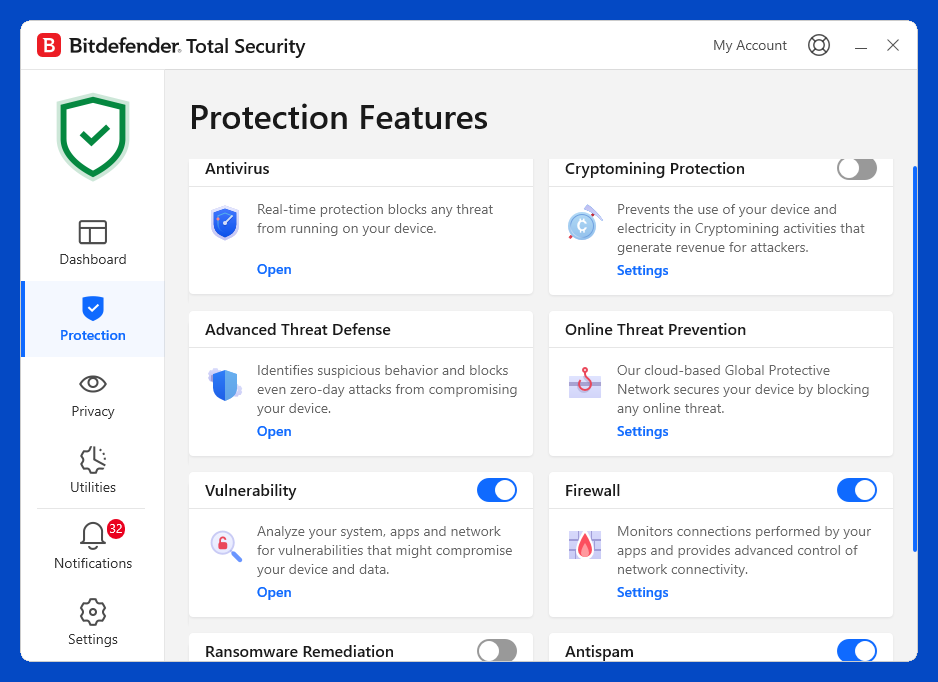
The Bitdefender Mobile Security dashboard reflects a minimalist design, centralizing key features like Web Protection, VPN status, and the vital Account Privacy checker for quick access and status verification.
—
Detailed Performance Evaluation: Speed and Battery Efficiency
Bitdefender’s strength on iOS is its invisibility. The background processes are incredibly light, and the network monitoring is so efficient that the app is frequently rated as one of the least demanding security suites available for mobile platforms. This is critical for users concerned about battery longevity.
Independent User Experience Summary (2025)
- Web Protection Efficacy: Rated Excellent (99.9%+). It consistently blocks virtually all known phishing attacks, placing it among the elite for first-line defense against user error.
- Performance Impact: Unsurpassed low footprint. There is no noticeable drain on the battery or slowdown when launching applications, even on older iOS devices.
- VPN Capability: The included VPN is fast and reliable. While the free 200MB/day is restrictive, it is sufficient for securing short, critical sessions (e.g., banking on public Wi-Fi).
- Usability: Rated highly for simplicity. The Autopilot feature drastically reduces the need for manual configuration, making it ideal for non-expert users who want security that simply works.
The Autopilot feature is a standout, acting as an AI assistant to guide the user through security best practices and recommended actions without being intrusive. This intelligent automation is a hallmark of Bitdefender’s commitment to a seamless user experience.
Setup & Critical Configuration Recommendations
Bitdefender Mobile Security installation is fast, but maximizing its benefits requires granting specific, high-level iOS permissions for network traffic analysis and notifications. The following steps are recommended:
- Enable Web Protection Profile: Immediately accept the prompt to install the VPN profile. This is the mechanism iOS uses to allow Bitdefender to monitor and filter network traffic for malicious URLs (even if you don’t use the VPN itself).
- Configure Account Privacy: Enter and verify all primary and secondary email addresses used for banking, social media, and sensitive communications. Set the tool to monitor automatically.
- Grant Notification Permissions: Ensure notifications are allowed. This is how Bitdefender delivers time-critical alerts regarding breach findings and device health issues.
- Utilize the Autopilot Feature: Review the initial recommendations provided by Autopilot to ensure your device settings (e.g., device passcode, Find My iPhone status) are fully compliant with security best practices.
—
Who is Bitdefender Mobile Security for iOS Best Suited For?
- The Speed Purist: Ideal for users who prioritize absolute zero performance impact on their device above all else, including maximum battery life.
- Web/Phishing Targets: Anyone who clicks links frequently via email or messaging apps benefits most from the near-flawless URL interception capabilities.
- Users Seeking Breach Alerts: The Account Privacy feature provides essential peace of mind and proactive warning against data breaches.
- Multi-Platform Households: Bitdefender’s cross-platform licensing is exceptional, making it a great choice for families using a mix of Windows, Android, and iOS devices.
—
Who Should Consider an Alternative?
- Heavy VPN Users: Those needing an unlimited, full-time VPN solution must pay for the premium Bitdefender VPN add-on or a total security package, as the 200MB/day limit is restrictive.
- Deep Parental Control Seekers: While functional, Bitdefender’s family controls are not as granular or feature-rich as those offered by dedicated parental software suites.
- Advanced System Customizers: The “Autopilot” and minimalist design simplify control, but advanced users who want granular manual control over every setting might prefer other suites.
—
Top-Tier Mobile Security Alternatives
Norton 360 for iOS
Primary Strength: Identity-first protection. Excels with its comprehensive Dark Web Monitoring and unlimited VPN included in the base 360 plans, making it ideal for the privacy-conscious user.
TotalAV Mobile Security
Primary Strength: Excellent utility tools. Offers a high-quality Photo Cleanup and Device Optimization tools alongside its core security features, appealing to users concerned about device storage management.
Surfshark One (VPN-First)
Primary Strength: Bundled fast VPN. Best suited for users whose primary need is an ultra-reliable, high-speed VPN, which is then bundled with essential privacy features like Alert (breach detection) and Antivirus (for other platforms).
—
Final Verdict: Unrivaled Web Protection with Zero Performance Trade-Off
/ 10.0
Bitdefender Mobile Security for iOS is the ultimate choice for users prioritizing speed, battery life, and superior phishing defense. It combines a flawless Web Protection module with the crucial Account Privacy Scanner to defend against the two most prevalent mobile threats: user error and data breaches. Its minimalist design and automated “Autopilot” feature make it a robust, professional-grade security solution that requires virtually no maintenance, setting the standard for unobtrusive mobile protection in 2026.
Conclusion
Bitdefender has successfully delivered a focused, high-performance security app for iOS that excels in its core competencies. For powerful protection against web-based threats and critical identity exposure alerts, while maintaining device speed, Bitdefender Mobile Security is a highly recommended and refined choice.
Get Zero-Impact, High-Efficacy Security Now
Upgrade to Bitdefender Mobile Security to leverage its award-winning web protection, Account Privacy feature, and the included high-speed VPN.