

Malwarebytes Mobile Security Review – Elite Malware Removal and New Scam Guard (2025)
Malwarebytes for Android excels as a highly effective anti-malware and remediation tool, famed for its ability to clean up infections missed by other security suites. The core strength of the free version is its powerful **on-demand malware removal** and **Privacy Audit**. The Premium tier elevates protection significantly by adding essential Real-Time Protection, Anti-Phishing Web Guard, and a high-speed, no-log VPN. Malwarebytes is particularly noted for its recent 100% score in a specialized **Stalkerware detection test**, making it an exceptional choice for users prioritizing privacy against targeted surveillance.
VERIFIED DATA: Malwarebytes’ efficacy is supported by independent testing, including a recent 100% detection score in AV-Comparatives’ Stalkerware Test (2025). While overall malware detection rates (97-98%) are slightly below perfect, its strength lies in deep remediation. The technical analysis is based on the features available in the Malwarebytes Mobile Security application for Android.
Core Mobile Protection Metrics: Detailed Analysis
Malwarebytes for Android focuses heavily on threat removal and essential digital privacy, offering its most crucial real-time defense layers exclusively in the Premium subscription.
| Security Metric | Malwarebytes Mobile Rating | Expanded Analysis and Technical Detail |
|---|---|---|
| Mobile Anti-Malware Rate | (Excellent Remediation) | The powerful engine effectively finds and removes malware, viruses, and Potentially Unwanted Programs (PUPs). While its pure detection rate is strong, its **remediation depth** is its key advantage. |
| Real-Time Protection | Premium Only (Essential) | The free version only offers on-demand scanning. The **Premium version is mandatory** for continuous, 24/7 protection against **zero-day threats** and malicious app installs. |
| Privacy & Tracking Defense | Excellent (Stalkerware/Privacy Audit) | Achieved a perfect score in 2025 for blocking Stalkerware. Includes a **Privacy Audit** (Free) that helps users review which apps have excessive permissions like location or call monitoring. |
| Anti-Phishing & Scam Guard | Advanced Real-time Filtering | The **Web Protection** (Premium) blocks malicious sites and phishing links. The new **Scam Guard** (Mobile Exclusive) uses AI to analyze suspicious text messages or screenshots for fraud indicators. |
| VPN & Private Browsing | High-Speed VPN (Premium) | The included VPN utilizes the modern, fast **WireGuard® protocol** with an audited **no-logging policy**, offering superior speed and privacy compared to older protocols. |
| Performance & System Impact | Lightweight & Fast | Known for being lightweight and having a minimal impact on system resources and battery life, ensuring a smooth user experience even during active scanning. |
—
Malwarebytes Mobile Architecture: A Technical Breakdown of Features
Malwarebytes builds upon its desktop legacy, focusing on a deep-cleaning engine and extending its protection to combat modern privacy invasions like Stalkerware and complex mobile scams.
1. Core Protection and Remediation
The technology is designed to be highly effective at both pre-emptive blocking and post-infection cleanup.
- On-Demand Scanner (Free/Premium): Allows users to run a manual scan to detect and remove existing viruses, malware, and adware. This is the **only protection layer** in the free version.
- Real-Time Protection (Premium): Monitors all app installations, file creation, and processes, blocking threats like ransomware and Trojans **before they can execute** or cause damage.
- PUP/PUA Detection: Aggressively targets and removes **Potentially Unwanted Programs (PUPs)** and applications that exhibit borderline malicious or annoying behavior (e.g., excessive ads).
2. Privacy and Anti-Scam Innovation
The Android application includes unique tools for safeguarding personal data and guarding against social engineering.
- Scam Guard (Mobile Exclusive): This new feature leverages AI to allow users to upload a suspicious SMS, WhatsApp message, or screenshot of a fraudulent call, providing **instant, real-time advice** on whether the content is a scam.
- Privacy Audit (Free/Premium): Scans all installed applications and categorizes their permissions, highlighting which apps can access sensitive data like your contacts, location, or microphone.
- Anti-Phishing/Web Protection (Premium): Uses a dynamic database to block dangerous websites, infected ads, and phishing attempts that steal banking or login credentials.
3. VPN and Enhanced Security
Higher-tier subscriptions integrate a robust VPN for complete network privacy.
- Privacy VPN (Plus/Ultimate): Provides a secure tunnel for all internet traffic, protecting users on public Wi-Fi networks. The use of the **WireGuard® protocol** ensures fast speeds and low latency.
- Identity Protection (Ultimate): Includes advanced services like **Dark Web Monitoring** and **Identity Theft Insurance** (up to $2M) for users who opt for the comprehensive suite.
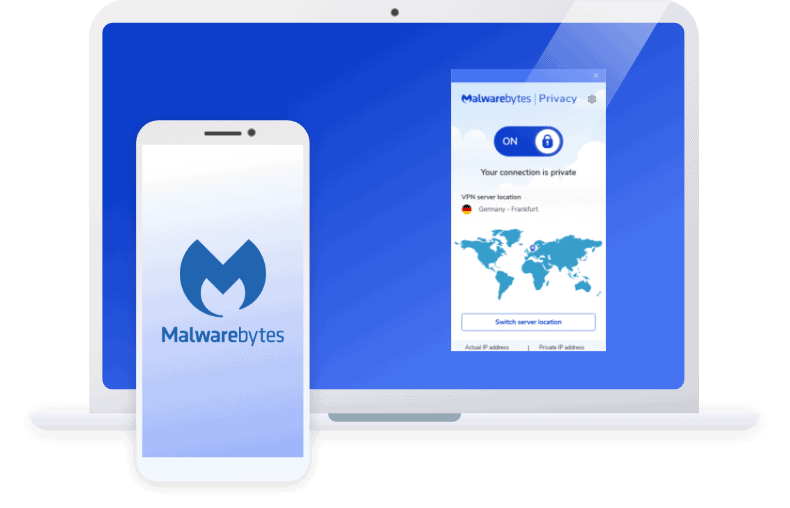
The Malwarebytes Mobile Security interface, highlighting the new Scam Guard feature and the integrated VPN service.
—
Detailed Performance Evaluation: Free vs. Premium
The major distinction for Malwarebytes is the functional gap between its free and paid tiers. While the free version is a stellar **”on-demand cleanup”** tool, it provides **no continuous, real-time protection**, which is critical for modern security.
Essential Difference: Real-Time Protection
- Malwarebytes Free: Scans and cleans existing threats when you manually run the app. It’s a post-infection tool.
- Malwarebytes Premium: Provides **Real-Time Protection** against new viruses, ransomware, and phishing attempts, actively blocking them before they get on your device. **This is the recommended standard for all users.**
In terms of resource usage, Malwarebytes is known for being extremely light on the system, which contributes to its high marks in usability and performance.
Setup & Critical Configuration Recommendations
To ensure comprehensive mobile security with the Premium version, focus on these steps:
- Activate Real-Time Protection: Ensure your Premium trial or subscription is active and verify that the **Real-Time Protection** toggle is set to ON. This is the foundation of your defense.
- Enable Web Protection: Grant the required Accessibility permissions to allow the Anti-Phishing Web Guard to actively monitor and block malicious links across all apps and browsers.
- Use Scam Guard: Test the new **Scam Guard** feature by uploading a harmless screenshot of a generic SMS or chat message to understand how it provides risk guidance.
- Review Privacy Audit: Run the **Privacy Audit** and review any apps flagged as having excessive permissions. Revoke permissions for any unnecessary apps.
- Set Up VPN (if applicable): If using the Plus/Ultimate plan, activate the **Privacy VPN** when connecting to any public or untrusted Wi-Fi networks.
—
Who is Malwarebytes Mobile Security Best Suited For?
- Remediation Users (Free): Individuals looking for the most effective tool to **clean up a device already infected** with malware or adware.
- Privacy Advocates: Users who highly value the 100% Stalkerware detection rate and the detailed **Privacy Audit** feature.
- Scam/Phishing Targets: Those who need advanced, real-time, AI-powered **Scam Guard** protection against fraudulent messages and social engineering.
- Users Seeking Light Performance: Customers who prioritize a security solution with minimal impact on device speed and battery life.
—
Who Should Consider an Alternative?
- Users Needing Free Real-Time AV: The free version is limited to on-demand scanning and does not provide active, 24/7 protection. Users requiring free real-time security should look at Avast or AVG.
- Users Needing Anti-Theft: Malwarebytes focuses less on anti-theft features (like remote photos or SIM lock) compared to specialized competitors like ESET and Kaspersky.
- Users of Complex Security Suites: Malwarebytes is feature-rich but lacks the comprehensive system tune-up and robust parental controls offered by some larger suites (like Norton or TotalAV).
—
Top Mobile Security Alternatives for Comparison
Bitdefender Mobile Security
Primary Strength: Offers consistently **100% protection rates** (compared to Malwarebytes’ 97-98%) with equally low system impact, making it a slightly better pure protection choice.
Norton Mobile Security
Primary Strength: Provides a more complete security ecosystem, including integrated **Dark Web Monitoring** and dedicated identity protection services not found in the standard Malwarebytes package.
Avast Mobile Security
Primary Strength: Offers **free real-time protection**, whereas Malwarebytes’ free version is limited to on-demand cleanup. Avast’s free tier is significantly more capable for pre-infection defense.
—
Final Verdict: Essential for Remediation and Privacy
/ 10.0
Malwarebytes Mobile Security is highly respected and indispensable for users who need a powerful malware removal tool. Its unique focus on **Stalkerware detection, the Privacy Audit, and the innovative Scam Guard** fills a crucial gap in the mobile security landscape. While users must upgrade to Premium for essential **Real-Time Protection**, the combined value of its high-speed VPN and specialized privacy features makes it a top-tier security solution, particularly for privacy-conscious users.
Strong Cybersecurity Conclusion
If you need a proven tool for malware cleanup or prioritize the advanced privacy defense offered by the **Scam Guard** and **Stalkerware detection**, purchasing the **Malwarebytes Premium** suite is a highly effective security investment for your Android device.
Upgrade to Malwarebytes Premium for Complete, Real-Time Mobile Security
Get the full power of the anti-malware engine, plus anti-phishing, VPN, and the cutting-edge Scam Guard feature.