
theHarvester Review 2025: The Best Tool for Passive OSINT Recon
theHarvester Review – The Essential Engine for Passive Reconnaissance and OSINT (2025)
theHarvester is a mandatory tool for the reconnaissance phase of any penetration test, designed to gather emails, subdomains, hosts, and employee names from public sources. By aggregating data from search engines, PGP key servers, and databases like Shodan, it builds a comprehensive profile of an organization’s external attack surface without ever touching the target’s servers. In 2025, it remains a favorite for passive intelligence gathering, providing a structured, automated way to discover exactly what information is publicly exposed.
VERIFIED DATA: theHarvester is a core utility included in the Kali Linux distribution. In 2025, it supports modern sources like Brave Search, Censys, and ProjectDiscovery. It is widely used by Red Teams to identify potential targets for phishing simulations and to map out “Shadow IT” infrastructure that may be forgotten by IT departments.
Intelligence Metrics: 2025 Reconnaissance Analysis
theHarvester excels at Information Leakage Discovery. It treats the internet as a massive database, querying different sources to find breadcrumbs left by employees and infrastructure misconfigurations.
| Intelligence Metric | theHarvester Capability | Expert Technical Analysis |
|---|---|---|
| Data Source Breadth | Queries Google, Bing, Shodan, DuckDuckGo, and LinkedIn. It is the only open-source tool that unifies these diverse data sets into a single command. | |
| Passive Discovery | Non-Intrusive | Because it queries public search engines, your target will never see your IP in their logs, making it the perfect tool for covert initial footprinting. |
| Active Enumeration | DNS Brute Force | Optional active mode (-c) allows for DNS brute forcing using a custom wordlist to find subdomains that search engines haven’t indexed yet. |
| API Flexibility | YAML Key Management | Uses a simple api-keys.yaml file to manage credentials for premium sources like Hunter.io or Shodan, maximizing the quality of retrieved data. |
| Reporting | HTML, XML, JSON | Allows investigators to export findings into structured formats (-f), making it easy to import data into tools like Maltego or custom databases. |
theHarvester Architecture: How Data is Harvested
The tool is written in Python and follows a modular design, allowing the community to easily add new “Discovery Modules” as search engines change their algorithms.
1. Passive Search Modules
This is where most users spend their time. It gathers data that is already indexed by third parties.
- Search Engine Scraping: Extracts emails and hostnames from the SERP (Search Engine Results Page) of major global search providers.
- Certificate Transparency: Queries crt.sh and similar logs to find every SSL/TLS certificate ever issued for a domain, revealing hidden dev/test subdomains.
- Social Scraping: Pulls names and job titles from LinkedIn and Mastodon (using specific modules) to build a target list for social engineering.
2. Active Infrastructure Analysis
When passive data isn’t enough, theHarvester can perform direct queries against a target’s infrastructure.
- DNS TLD Expansion: Tries different Top-Level Domains (TLDs) to see if a company has registered .net, .org, or .io versions of their name.
- Reverse DNS Querying: Performs reverse lookups on discovered IP ranges (-n) to find additional hosts sharing the same network block.
- Virtual Host Discovery: Checks for virtual hosts (-v) by resolving hostnames and verifying them through DNS resolution.
3. Automated Screenshot Capture
A 2024/2025 feature that adds visual confirmation to the discovery process.
- Visual Verification: Use the –screenshot flag to automatically capture a PNG of every discovered subdomain, saving hours of manual checking.
- Rapid Assessment: Quickly identify login portals, parking pages, or exposed dev environments by skimming through the screenshot gallery.
- Documentation: Provides immediate visual evidence for client reports of exposed assets.
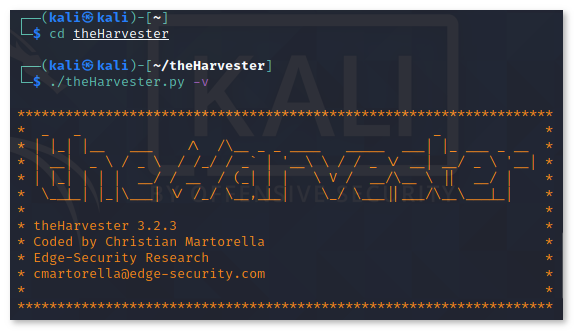
The standard output of theHarvester organizes findings into clear categories: Emails, IPs, and Subdomains.
2025 Performance Evaluation: Speed and Accuracy
theHarvester is optimized for fast-paced assessments. It is designed to be the first script you run when you get a target domain.
Technical Benchmark Summary (2025)
- Execution Time: A full search across “all” sources typically completes in under 3 minutes for a standard domain.
- Data Precision: By filtering out duplicates and validating IP addresses, it reduces the “noise” often found in raw OSINT data.
- Portability: Pre-installed on Kali and Parrot OS; also available via Docker for quick deployment on cloud servers.
- Resource Impact: Minimal. It is a lightweight CLI tool that consumes very little RAM, making it suitable for low-power VPS instances.
theHarvester is the “Quiet Professional” of recon. It provides high-value intelligence with zero footprint on the target’s network.
Expert Setup & Command Recommendations
To use theHarvester like a top-tier OSINT specialist, utilize these advanced command structures:
- The “Everything” Search: Use `theHarvester -d domain.com -l 500 -b all` to query every free and integrated source at once.
- Configure API Keys: Go to `/etc/theHarvester/api-keys.yaml` (in Kali) and add keys for Shodan, Hunter, and Bing for a 10x increase in data quality.
- Filter for Emails Only: Combine theHarvester with `grep` to quickly pull a clean list of email addresses for a specific campaign.
- Visual Recon: Use `theHarvester -d domain.com -b crtsh –screenshot ./images` to find and photograph every subdomain associated with an SSL certificate.
- Limit Search Depth: Use the -l flag to limit results (e.g., -l 200) to keep your initial reconnaissance phase fast and focused.
Who is theHarvester Best Suited For?
- Red Teamers & Pentesters: For the initial footprinting and reconnaissance stage of a security engagement.
- Bug Bounty Hunters: To discover out-of-scope or forgotten subdomains that may have critical vulnerabilities.
- Social Engineers: To gather names and emails of employees to build realistic phishing or vishing scenarios.
- IT Managers: To see what sensitive infrastructure or employee data is accidentally leaked to the public internet.
Who Should Consider an Alternative?
- Full-Scale OSINT Researchers: For extremely deep-dives into social networks or people-searching, Maltego or Sherlock offer more depth.
- Enterprise Asset Management: For continuous, automated asset tracking with dashboards, a tool like OWASP Amass is more robust.
- Non-CLI Users: If you are uncomfortable with the terminal, you might prefer the SpiderFoot web interface.
Top OSINT Recon Alternatives
OWASP Amass
Primary Strength: The king of **Subdomain Enumeration**. It uses much more aggressive active and passive techniques than theHarvester.
SpiderFoot
Primary Strength: Exceptional **Automation**. It queries 100+ sources and provides a beautiful web UI for managing thousands of OSINT data points.
Recon-ng
Primary Strength: The “Metasploit of Recon.” A **Modular Framework** that allows for highly customized intelligence gathering workflows.
Final Verdict: The Professional’s First Choice for Recon
/ 10.0
theHarvester is a classic tool that has evolved perfectly for the 2025 security landscape. It provides instant, high-value intelligence with a single command, making it the most efficient way to begin any investigation. While it lacks the deep visualization of Maltego or the sheer scale of Amass, its simplicity, speed, and reliability make it the definitive tool for passive reconnaissance. If you are starting a penetration test, theHarvester is the engine you want under your hood.
Expert Security Conclusion
Reconnaissance is the most important part of any attack or defense. theHarvester ensures you see what the attackers see, before they act on it.
Begin Your Investigation
Master the tool that defined open-source intelligence gathering. Start harvesting your target’s data today.